Firefox web apps on Linux are almost here. You can try them now
Just enable one flag and you can start Alt-Tabbing to your web apps.


Mozilla Firefox's official implementation of web apps, which Mozilla calls Taskbar Tabs, is available in the beta version of Firefox 150 for Linux. You can enable them with a now-working built-in flag.
Happening now
As pointed out by Reddit user mananabanana17, Firefox's nightly build for Linux recently gained Taskbar Tabs functionality. Mozilla has supported web apps on Windows since September, but Linux fans have to wait. Until now.
I gave it a try, and you can see below I'm using Floss.Social as a web app. The icon is independent of Firefox in Plasma's taskbar, and it's also available as an (albeit uncategorized) application in the app launcher.
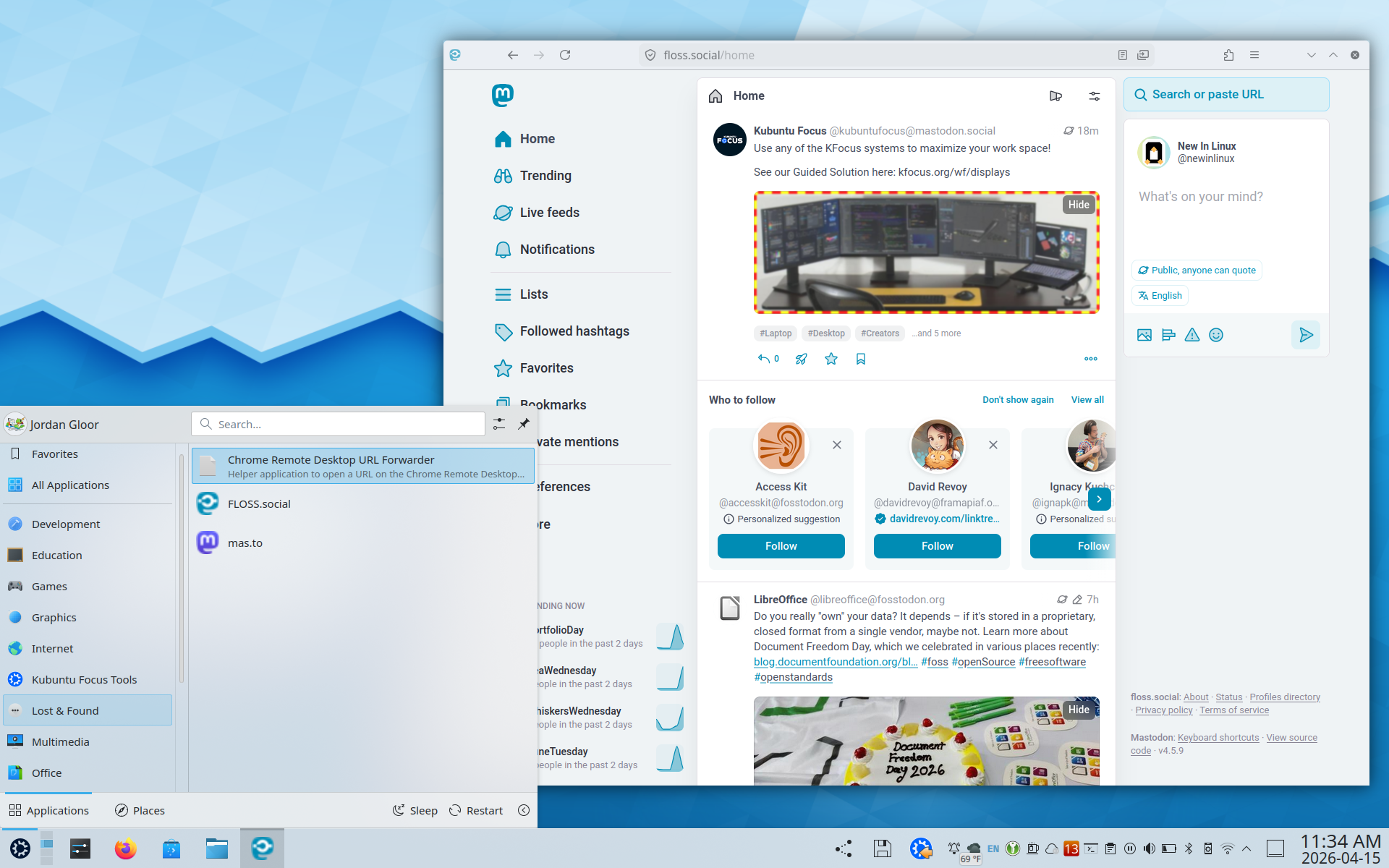
- This worked in Firefox beta as well, indicating we can expect its availability in Firefox 150, which releases next Thursday, April 21.
Judging from the bug report, we can likely expect Taskbar Tabs on Linux to remain a hidden feature, a flag you need to enable in Firefox's configuration, until Firefox 151. That'll be out later this spring.
Zooming out
Why this update matters: Installable web apps have been available in Google Chrome, and even GNOME Web, for a long time. Firefox is the default browser on most Linux distros, and Firefox-preferring *nix fans have long been forced to resort to extensions and other workarounds to get access to web apps without switching to Chromium- or WebKit-based browsers.
Be smart: As OMG! Ubuntu pointed out when the feature was first announced last year, Taskbar Tabs don't meet official Progressive Web App specifications. If you're expecting an experience just like Chrome's, you may be disappointed.
- For one thing, Firefox's address bar and some menu buttons stay visible in Taskbar Tabs.
My take: I keep some tabs pinned in Firefox specifically because I want easy access them. Being able to Alt+Tab to them instead of Ctrl+Tab to them will be great.
Getting started
To start using Taskbar Tabs, aka web apps, on Firefox for Linux, make sure your Firefox version is at least 150. Check Mozilla's guide to installing Firefox on Linux if you don't have it installed, or if you need the Beta release.
In Firefox's address bar, type about:config, accept the warning about making changes, and then search for this flag:
browser.taskbarTabs.enabled
Enable it, then visit a website you want to convert to a web app. Look for the icon in the right-hand side of the address bar and click it.
The tab will extract itself from your Firefox instance, and you should find it available among your launchable apps. Be sure to report bugs you encounter to Mozilla, especially in these early days of support.