KDE Plasma 6.7 (out now): Here's everything new
New theming, new shortcuts, and better virtual desktops all make up this exciting desktop environment release.

KDE Plasma 6.7, which arrived June 16, 2026, is available now. These are the most important changes you can expect to see when you update.
Why this update matters: Plasma is one of the most popular desktop environments for Linux, up there with GNOME and Xfce. In fact, the KDE project just got a big investment.
What's new
The Union theming system
One of the most talked-about additions coming with Plasma 6.7 is the desktop theming system called "Union." Essentially, it's simplified theming that's easier to edit and customize if you want to manually create or modify themes for Plasma.
The return of Air
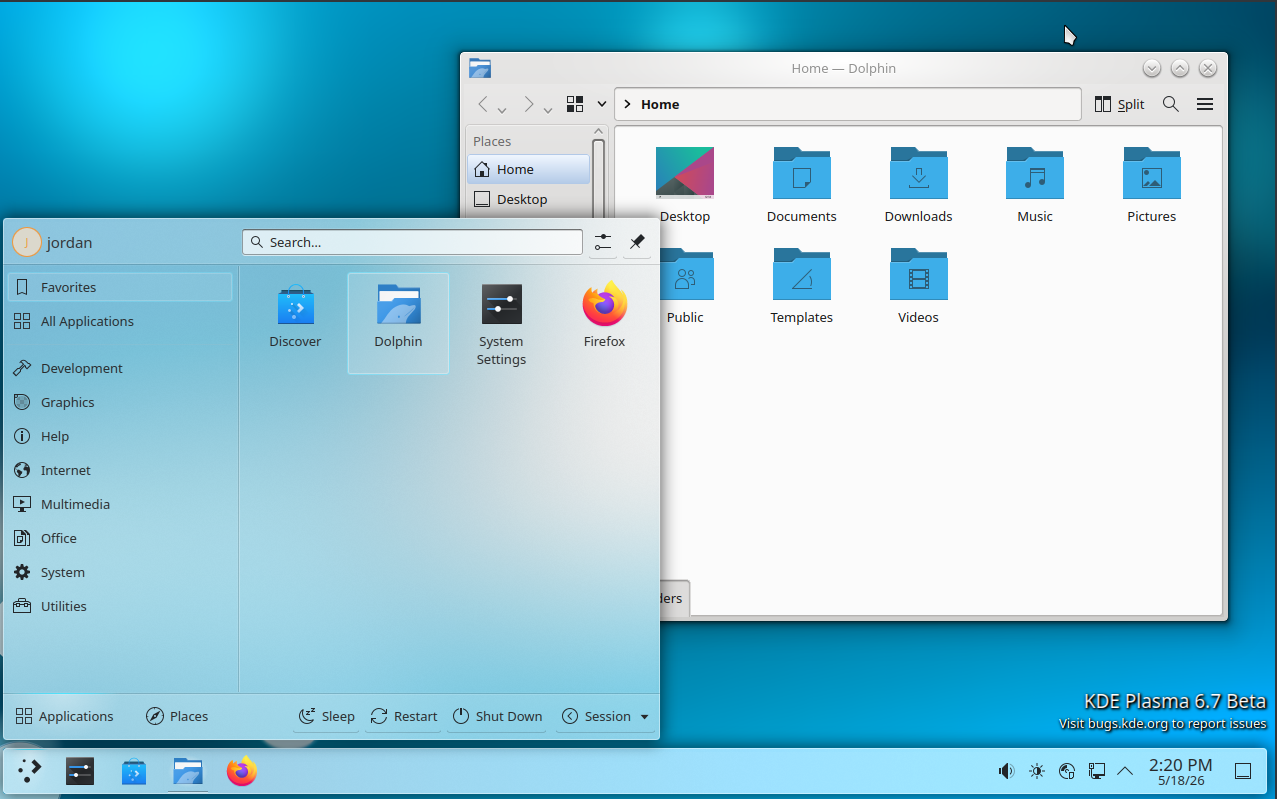
For those nostalgic for Plasma's earlier days, the Air theme is being restored, with some modernized fixes.
Dark mode toggle in system tray
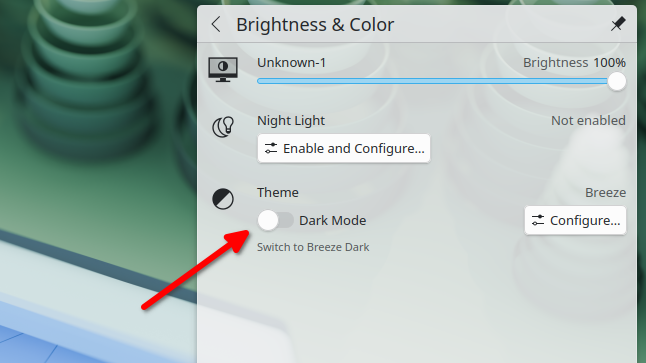
The screen brightness widget that lives in your system tray (aka taskbar) now has a built-in dark and light mode toggle. This addition is thanks to Plasma 6's full dark mode switching support.
Global push-to-talk hotkey
You can now set a keyboard key or combination to act as the global push-to-talk key. No matter which conferencing or voice chat app you're using, you can press and hold the shortcut to temporarily unmute your microphone.
Clear notifications hotkey
Another new optional keyboard shortcut is one to instantly clear your entire notification history. This is useful if you have sensitive notifications you want to hide from anyone who shares your device.
What's getting better
Multi-monitor virtual desktops
Now you can have different virtual desktops on each monitor in your setup, and you can switch between desktops on each monitor independently.
Background apps
More apps that run in the background will now show themselves in Plasma's system tray. If you had issues with background apps becoming inaccessible when you closed their window, this update may fix that.
Hiding windows from screenshots
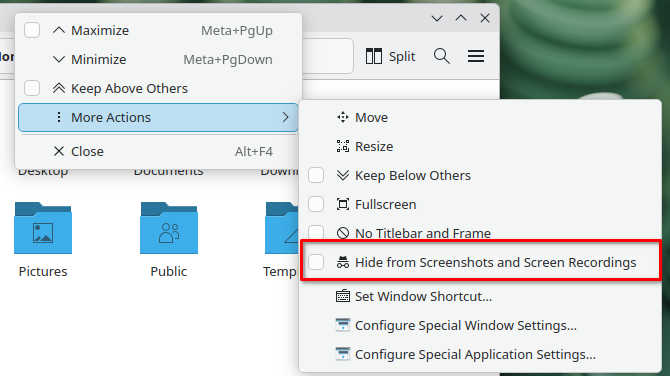
In each window's "More Actions" context menu, you can now prevent the window from being captured in both screen recordings and screenshots.
- Previously, Plasma 6 only let you hide windows from screen recordings.
Zoom tools
When you're zooming in, Plasma can now "upscale" zoomed pixels to make the image sharper.
Notification visibility
Notifications can now be set to slide into view instead of just flatly materializing. The animation's intention is to better grab your attention and thus make it less likely you miss an important notification.
Diving in
The fineprint: There are several more minor updates coming, which you can read about in the Plasma 6.7 release notes.
Get it now: To get Plasma 6.7, look for image downloads in the list of distros shipping with the latest Plasma release on the Plasma live images wiki page.
My take: I'm looking forward to being able to quickly toggle light and dark themes, and also the push-to-talk shortcut.