Better GPU overclocking controls are here with LACT 0.10
A new PowerMiser setting and a voltage slider let you have more control over your Nvidia card.

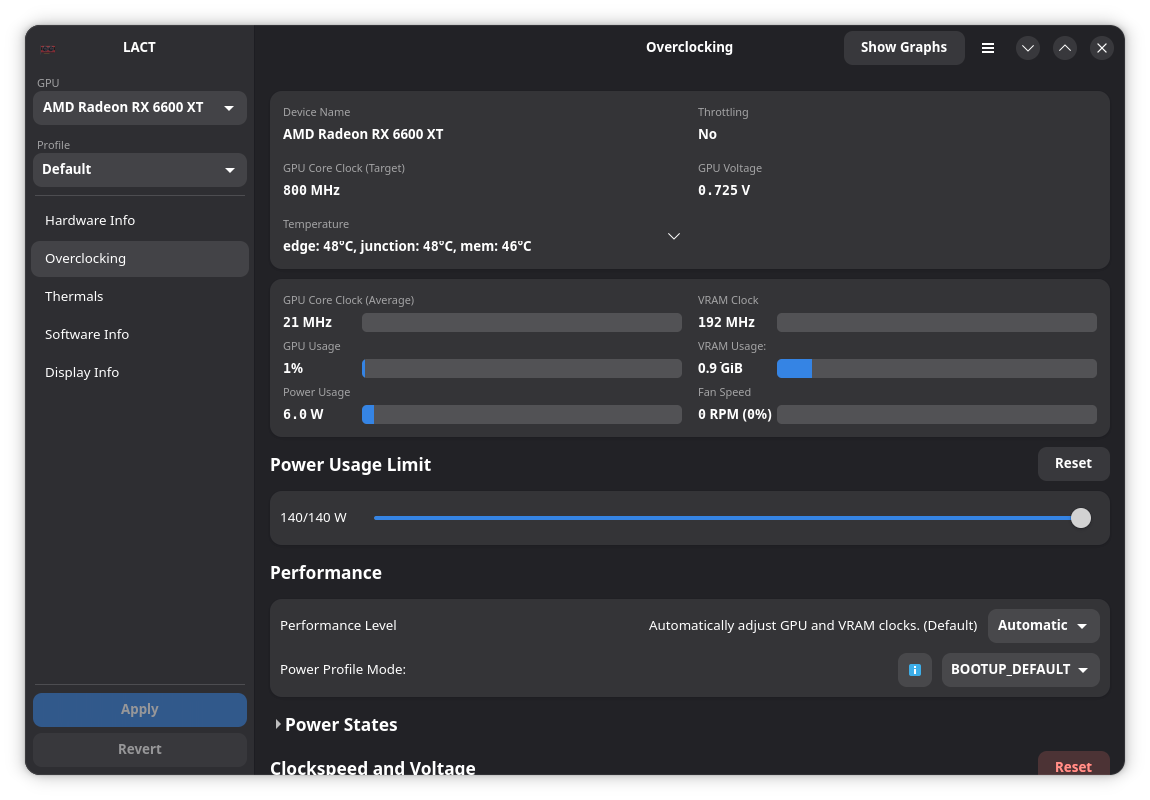
Developers of the popular open source, Linux-native graphics card manager LACT released version 0.10.0 this week, bringing a set of new overclocking controls for Nvidia cards specifically. AMD users are getting better support, too.
What's new
- Nvidia overclock controls: A new PowerMiser setting lets you force the P-state on your Nvidia card. P-states define the frequency and voltage, giving you fine-tuned control of the performance level.
- Also, there's a new voltage slider that lets you push your card to slightly higher voltage levels.
- AMD GTT monitoring: You can now see GTT usage levels clocked alongside VRAM usage on AMD devices. GTT is system memory accessible by the graphics card.
- GPU detach command: LACT's command line tool now lets you temporarily "detach" cards from LACT itself with the command
lact cli detachand then reattach it withlact cli reattach.- The release notes explain that the command is meant for use cases where you want to temporarily attach the GPU to a virtual machine.
What's getting better
- Nvidia sensors: Readings of hotspot sensors on Blackwell cards are now accurate, and per-memory-chip temperature sensors for newer Nvidia cards were added.
- Initial setups: The command that you previously had to copy-and-paste into the terminal has when you first run LACT is no longer necessary. A graphical dialog walks you through the setup process.
- Dark mode: The preferences menu now lets you force dark or light mode. Previously, LACT would simply switch based on the system theme.
 Jordan Gloor
Zooming out
Why this update matters: Access to GPU controls without the need for proprietary (and often non-Linux-native) software makes advanced gaming setups and machine learning operations even more realistic on Linux.
My take: I use LACT on my system (which I wrote about back in May), and I welcome the bigger control set this update will give me.
Diving in
The fineprint: Visit the the official LACT 0.10.0 GitHub release notes to learn all the finer details.
Get it now: Check your Linux software repository for version 0.10 of LACT, or visit the release notes linked above to find RPM, DEB and FLATPAK downloads.
If you've never tried LACT before, you can find it on Flathub or install it via the command line on Arch Linux distributions with sudo pacman -S lact.