It's now easier to customize that cool terminal logo in Fastfetch
Both a text-based interface and a graphical one accessible via your web browser now let you interactively create the configuration file for your Fastfetch.

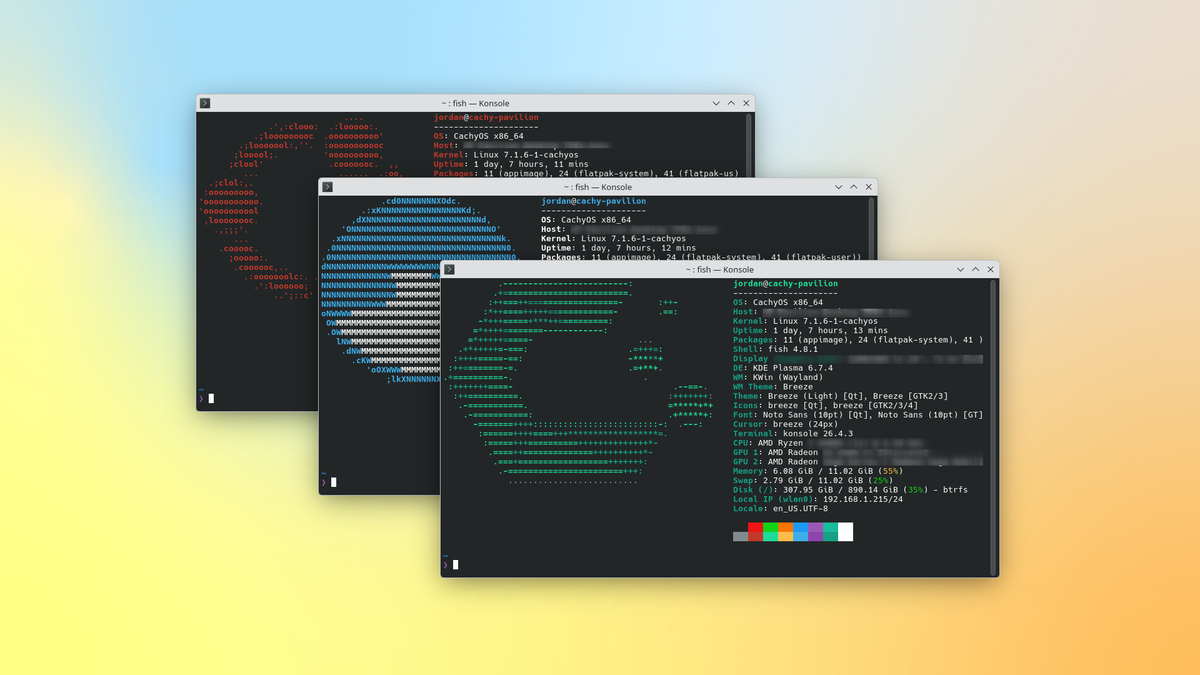
The popular Fastfetch tool for displaying system information alongside an ASCII rendering of the operating system logo this week got updated to version 2.67. The update introduces some new interfaces for configuring Fastfetch's output.
For context: Fastfetch is one of the more popular replacements for neofetch, which was a ubiquitous system information tool until the project was officially shuttered in 2024.
What's new
- Interactive TUI config: There's a new interactive text-based user interface (TUI) that lets you set up Fastfetch exactly how you want it. Just run
fastfetch --gen-configto activate it. - Web-based config: If you prefer to work with a graphical window instead of a TUI, you can now try customizing your Fastfetch experience with a web browser-based interface. You can access it at the project's GitHub page and start creating a downloadable config.jsonc file for use with Fastfetch.
- Apparently, this interface was entirely vibecoded, as the GitHub repository reads, "This project is fully AI generated and barely tested. Bugs are expected." Obviously, your mileage may vary.
What's getting better
- Apple hardware support: Fastfetch can now detect the CPU and GPU temperatures on Apple's latest chips, the M5 series.
- Ghostty support: Fastfetch is now better at detecting the font being used in the Ghostty terminal emulator.
 Jordan Gloor
What's going away
- The old configuration flags: The
--gen-config-full,--gen-config-force, and--gen-config-full-forceflags no longer exist, as their functions have been collapsed into the TUI activated with--gen-config - Various logos: Several operating system logos were removed from the Fastfetch repository. I looked into them, and they all appear to be abandoned projects. They include:
- EmperorOS
- Furreto
- Hypros
- Magix
- MagpieOS
Zooming out
Why this update matters: A lot of Linux distributions these days come with Fastfetch preinstalled, especially those that emphasize modern looks. Linux enthusiasts like to show off their desktops and include a readout like Fastfetch's, so further development affects a lot of machines.
My take: I like Fastfetch, but I'm put off by the casual approach taken in vibecoding the web interface for configuration. Not bothering with any testing makes me wonder what in Fastfetch's code might have gotten similar careless treatment.
 Jordan Gloor
Diving in
The fineprint: You can read all the details, including a bunch of small bugfixes, in the official Fastfetch 2.67.0 release note on GitHub.
Get it now: Look for an update to Fastfetch in any rolling release distribution's software repository. At the moment, version 2.67 is in Arch testing. It's also up-to-date in Homebrew, which is the recommended method for distro-agnostic installations anyway. Just run brew install fastfetch and then start configuring.