Jellyfin 12 is here. These are most exciting upgrades
On the way for the open source media server is a new default theme, vastly improved book support, plus fixes for long-standing bugs with TV schedules and more.

Jellyfin 12.0, the next major release for the open source media server, is now generally available. As someone who's been running a Jellyfin server for three years, these are the new and improved features I'm most excited about in the server and web interface.
If you want to support my work, you can buy an ad-removing, open source-supporting subscription or leaving a tip.
Why this update matters: Jellyfin is becoming increasingly popular free alternative to Plex, which keeps raising its subscription prices while self-hosted hardware prices increase as well.
A note on versioning: If you're confused about the version number, you're not alone. The version scheme is completely changing to mitigate existing confusion.
- The important thing to know is that the last major release was 10.11, and this one is 12.0. From now on, forthcoming major releases will be Jellyfin 13.0, 14.0, and so on.
What's new
There's a lot of new stuff to know about in Jellyfin 12. While this list isn't comprehensive, these are what I thought was most notable.
A fix for Schedules Direct issues
If you've ever looked into adding "EPG" live TV schedules to your Jellyfin server, you likely know about long-standing issues with the Schedules Direct service. If you tried connecting your server to Schedules Direct, you risked being banned thanks to problematic error responses that you have no control over.
Those issues have seemingly been resolved with Jellyfin 12.0, thanks to overhauled integration with the Schedules Direct API. Bottom line: Putting live TV schedules on your server should be easier.
Revamped default theme
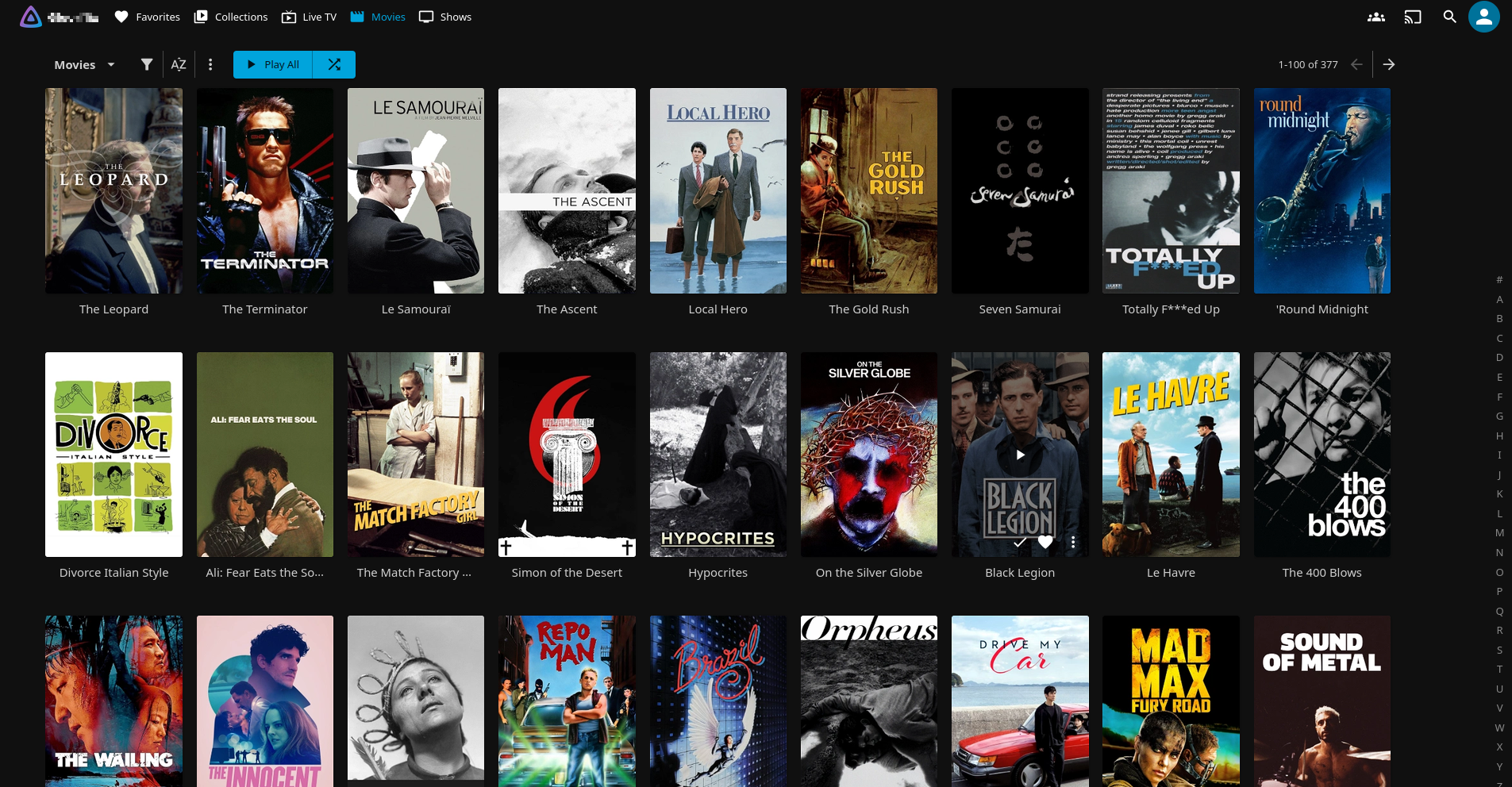
A theme that introduced in earlier Jellyfin release as an "Experimental" theme you could opt into will now be the default theme on the web and other standard Jellyfin apps. The theme switches the sidebar selection menu revealable with a hamburger button to a top-bar, always-visible menu of options.
- You can preview the theme without upgrading to Jellyfin 12.0 by going to User Settings > Display > Display Mode and changing the selection to "Experimental."
- The Music Videos and Mixed Videos interfaces have also gotten a special redesign treatment.
Enhanced book support
Jellyfin 12 will mark the beginning of a new focus on support for eBooks, comics, and audiobooks. This includes better metadata extraction and file identification, improved author pages with information about their books, and a more uniform and accurate playback interface.
"Still Watching?" prompts
The Jellyfin web player can now, through a managed plugin, ask for confirmation that you're still watching after a certain number of minutes or TV episodes have been watched in a row with no user interaction. This can be configured in the plugin settings.
Video scrubbing
You can now scrub through videos frame-by-frame using the , (comma) and . (period) keys.
 Jordan Gloor
What's getting better
Some aspects of Jellyfin 12 are not new but will be getting better as the result of a lot of maintenance and quality-of-life work by Jellyfin contributors.
Recommendations
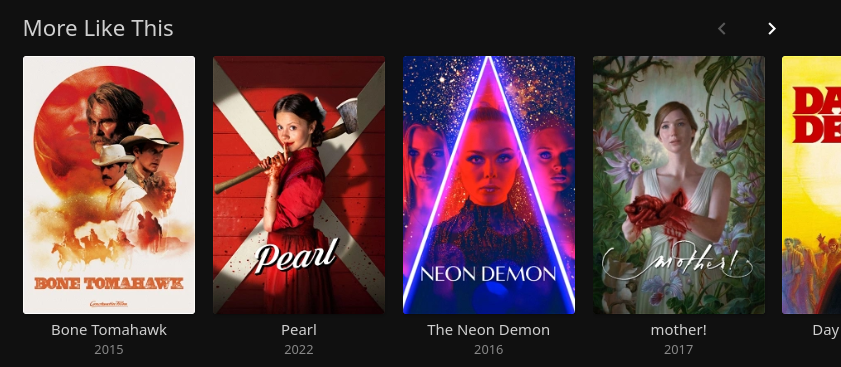
Your server will now be better at recommending similar music artists and related movies. Work was done to make the picks more dynamic and relevant.
Transcoding
If you allow on-server transcoding, you'll be enjoying some optimizations including an upgrade to FFmpeg 8.1 (the latest release at the time of writing), better subtitle processing, and more efficient scaling and tonemapping operations.
TV episode handling
Some issues with alternative versions of TV episodes as well as episode numbers that reach into the 100s or 1,000s have been fixed. Plus, episodes listed in XMLTV listings can now show episode-specific thumbnails and background images.
Book library performance
Jellyfin servers that had large book collections were slowing down and sometimes even breaking access to the library. A bug fix in Jellyfin 12 addresses that issue, optimizing item retrieval when viewing a library of books.
Actor image fetching
An issue has been addressed where actors' images were not appearing until you clicked a given actor in the Jellyfin interface. The "Refresh People" scheduled task was failing to fetch images from remote providers like TMDB, but the fix results in those images being properly refreshed every 30 days.
Bitrate reporting
Previously, reports on the video bitrate were based on container bitrates, which are different from actual video bitrates. Now, bitrate reporting is based on estimated video bitrates.
Screensaver activation
When you're looking at photos or reading books, your device's screensaver is now blocked from activating. This prevents you from needing to shake the mouse or tap the screen just to read your book.
Various longstanding issues
The infinite loading screen that appeared when you tried to create a user with invalid characters has been fixed, and crew member cards with multiple roles on movies and shows are now combined instead of being listed separately.
- Server-side, an issue with hyphenated episode numbers being mistaken for episode ranges was fixed.
Zooming out
Important context: Multiple longtime Jellyfin contributors have stepped back from the project recently, some for personal reasons and at least one over project direction disagreements. Development and release of Jellyfin 12 appears to continue, regardless.
Lingering questions: When will Jellyfin 12 actually get here? That will depend on how many bugs get identified in the testing phase (which you can participate in by following the instructions below) and how fast those bugs get addressed.
My take: I'm looking forward to the TV schedule issues getting resolved, as that was a big issue I ran into when I wanted to add it to my server. I'm also grateful for the simplified versioning scheme.
 Jordan Gloor
Diving in
The fineprint: You can find out all about the release by visiting the official Jellyfin 12 release announcement. Explore the latest Jellyfin GitHub releases for more technical details.
Get it now: See the release announcement linked above for several important notes on upgrading an existing server.
- The most important to know is that if you're already running Jellyfin, you must be at version 10.10.7, or anything in the 10.11.x series, to make a safe migration.
- If you aren't on one of those versions, you'll need to upgrade to them for the jump to 12 to be possible.
- If you're on a safe version, check the software repository for an update to 12 after confirming you've read the release notes!
If version 12 will be your first foray into hosting a Jellyfin instance, see the official Jellyfin Quick Start guide to learn how you can get up and running in a few minutes.