Keep your software fresh: 3 more Linux apps worth trying
This weekend I'm trying a virtual ruler, a disk usage detector, and a movie storing tool.

The trouble with free and open source apps is that they don't always have the best marketing. Most have none at all, in fact, which is why I work hard digging up the most useful apps to run on my Linux PC. Here's what I've found this week.
KRuler: A pixelated measuring stick
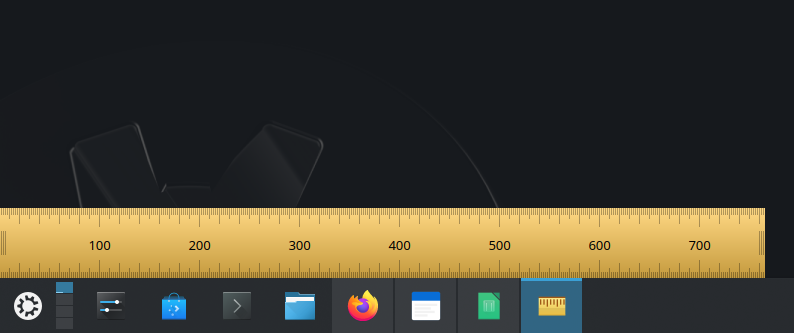
The KRuler app by KDE gives you a virtual measuring stick that measures just one thing: pixels. You can place it next to any window or object and you'll see the number of pixels your display is rendering it at.
It can be stretched and shrunk, dragged around the screen, toggled between measuring from sides and from the center, and it can be offset by any number of pixels you need. It's fully-featured with hotkeys and configurable color and opacity, and it can even live in your taskbar if you often need it.
Why I like it
This is going to be more niche then probably most apps, but I like that KRuler lets me quickly see how big a window or dialog is and thus how big it will be in a screenshot. Having written for digital publications for years, I can't tell you how important minimum pixel dimensions are.
How to get it
KRuler is widely available, so you can likely find it just by searching your software browser. You can also install it via the command line with one of these:
sudo apt install kruler #Debian and Ubuntu
sudo dnf install kruler #Fedora
sudo pacman -S kruler #Arch
sudo zypper install kruler #openSUSE
MakeMKV: Easy DVD and Blu-ray rips
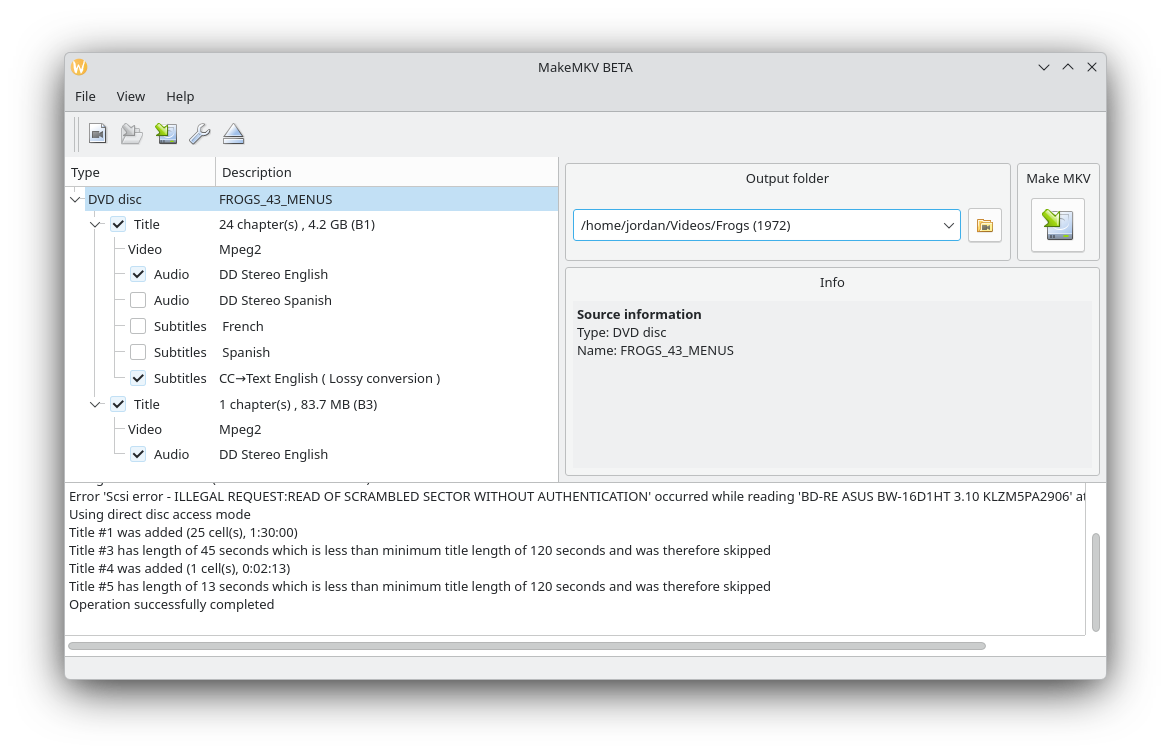
If you often need video copies of movies stored on optical discs, MakeMKV is one of the best, especially if your discs include Blu-rays. It makes high quality rips stored as MKV files that you can then store wherever you like.
If you've managed to get your hands on an optical drive that can be flashed to read 4K Blu-rays, then MakeMKV can also make complete 4K rips. Be ready for a lot of storage requirements, though.
Why I like it
I have a growing physical media collection, and I like that MakeMKV lets me make digital backups of my movies and TV shows. I typically put the files on my private Jellyfin server so I can watch without needing to connect and set up a Blu-ray player.
A couple of big caveats though: MakeMKV is not open source, and it's not free—strictly speaking. You need to purchase a license key for full functionality, but as long as the app is in beta, free beta keys are made available on the MakeMKV forum. It's also been in beta for ages, so for the time being MakeMKV is effectively free.
How to get it
The recommended way to download MakeMKV is to head to the MakeMKV forum post for Linux installations and follow the instructions. However, someone has packaged it as a Flatpak that's easier to install, though be warned it's not an official build.
ncdu: Quickly find disk hogs
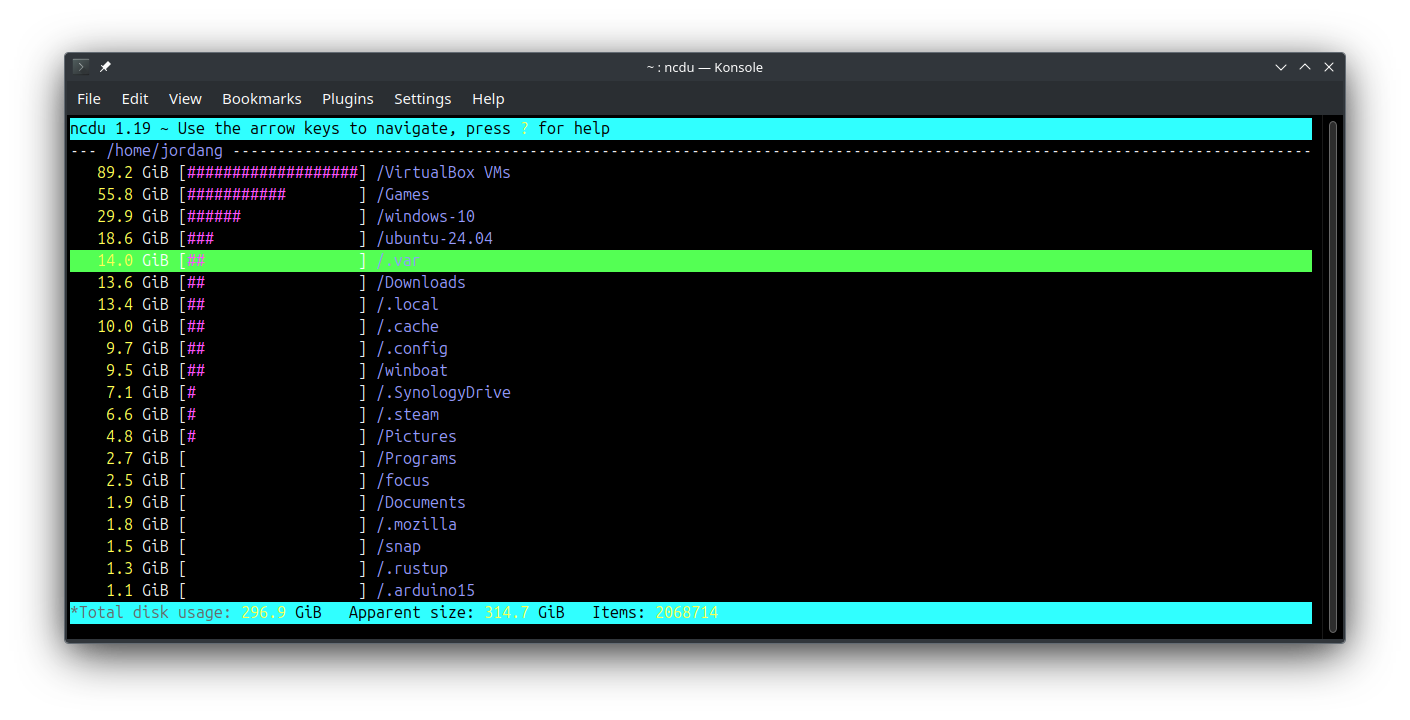
Ever wanted to quickly find out why you're running out of disk space on your Linux PC? The ncdu tool for the terminal does just that in an instant.
After a quick scan, it gives you a text-based interface of your directories bars showing relatively how much storage is being used by each directory or file. Use the arrow keys or vim keys to navigate them and dig into your most inflated directories to find the most guilty disk hogs.
If you have a specific folder you want to inspect, you can direct ncdu with a directory name like ncdu Videos, but otherwise you can just run the ncdu command in your home directory and it will scan from the top down.
Why I like it
While there are graphical programs that will do this, I like how quick and easy the terminal experience with ncdu is. The vim-style navigation makes finding files I want to get rid of or move a breeze.
I expect this tool to get more and more useful, too, as the costs of local storage continue to sky-rocket. Thanks, AI.
How to get it
The ncdu tool is widely available across Linux software repositories.
sudo apt install ncdu #Debian and Ubuntu
sudo dnf install ncdu #Fedora
sudo pacman -S ncdu #Arch
sudo zypper install ncdu #openSUSE
I hope you found some software worth installing on your Linux device. I write these lists every week, so be sure to check out past app recs and also subscribe to my weekly newsletter to get these in your inbox.