DietPi 10.4 adds full support for an Orange Pi, plus Copy Fail mitigations
This release for the hardware-optimized alternative to Raspberry Pi OS brings dedicated images for the Orange Pi 5B and a fix for some infamous vulnerabilities.

The DietPi development team has released DietPi 10.4 with several enhancements and updates. It's a relatively minor release, mostly enhancing existing support, patching security issues, and fixing some bugs.
What's new
- Full Orange Pi 5B support: There are now dedicated images for the Orange Pi 5B. You no longer have to use the Orange Pi 5 and manually enable its hardware.
- Vulnerability mitigations: The Copy Fail and Dirty Frag vulnerabilities have been fully mitigated with this release.
What's getting better
- Log placement: Persistent logs for the DietPi system have been moved from
/var/tmp/dietpi/logsto/var/lib/dietpi/logsto be more in line with Debian Trixie's approach to logkeeping. - Installation operations: If you had a special situation where a GRUB BIOS image exists on a GPT partition table but without a BIOS boot partition, then you won't see a bunch of warnings from GRUB on installation.
- Java, soju, and Unbound: Java on 64-bit images has been upgraded to Java 26, Unbound DNS resolver for DietPi now has its own DietPi-custom repository, and the soju IRC bouncer was updated to the latest version.
- DietPi recommends that you upgrade soju with a reinstallation command,
dietpi-software reinstall 213.
- DietPi recommends that you upgrade soju with a reinstallation command,
What's going away
- Installation bugs in popular software: Several bugs that hobbled newly installed instances of Docker, Home Assistant, Immich, ownCloud Infinite Scale, and Synapse have been resolved.
Zooming out
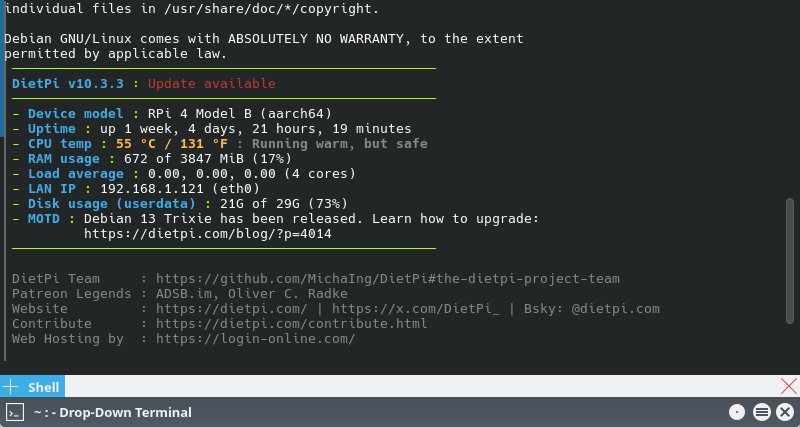
Why this update matters: PC hardware costs are soaring, cloud privacy issues mount, and projects like DietPi continue to make self-hosting on cheap hardware easy.
My take: I'm updating my DietPi device as we speak, as I want all the vulnerabilities removed ASAP.
Diving in
The fineprint: See the release notes on GitHub for details and additional information.
Get it now: DietPi 10.4 images are available from the the DietPi download page. Just choose the device you own and click its Download Image link.