What's new in LibreOffice 26.8 (out now)
This update brings a new "Draft" view to Writer, a shuffle command to Calc, and a new slide section feature to Impress.

The Document Foundation announced the release of LibreOffice 26.8 on August 26, 2026. It's been in the works since December 2025, and these are the most exciting changes you can expect in the open source office productivity suite.
What's new
- Writer - Document compare: Have two similar documents and want to find differences between side-by-side when there were no track changes used? The "Compare" in Writer has the groundwork to show two documents and highlight the differences between them.
- The feature appears not to be fully implemented yet, so we can presumably expect it in a later update.
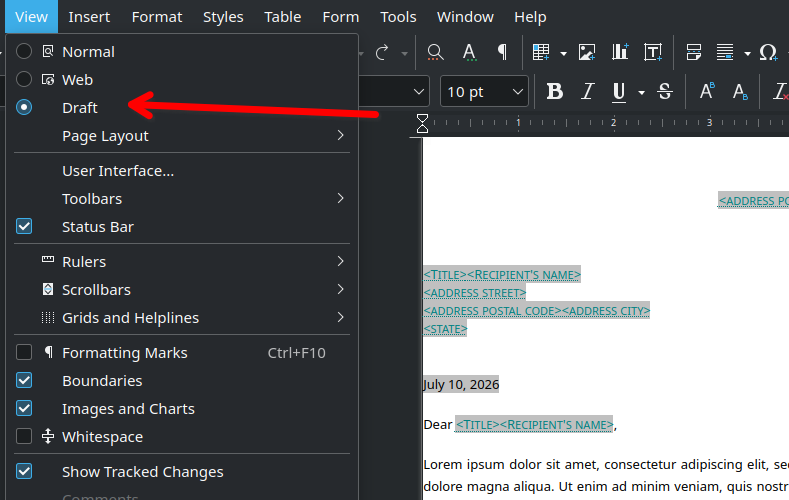
- Writer - Draft View: Like the Draft View feature in Microsoft Word, you can now switch to a "Draft" view in Writer, removing all pagination, whitespace, and other formatting and content not essential for reading back a draft.
- This is meant to be useful not just in removing distractions but also reducing the load time.
- Calc - Randomized cell command: A new "Shuffle" UNO command lets you randomize the order of cells in a column.
- Draw - Mouse wheel controls: You can swap the functions of the mouse wheel so that zoom is the default function and holding
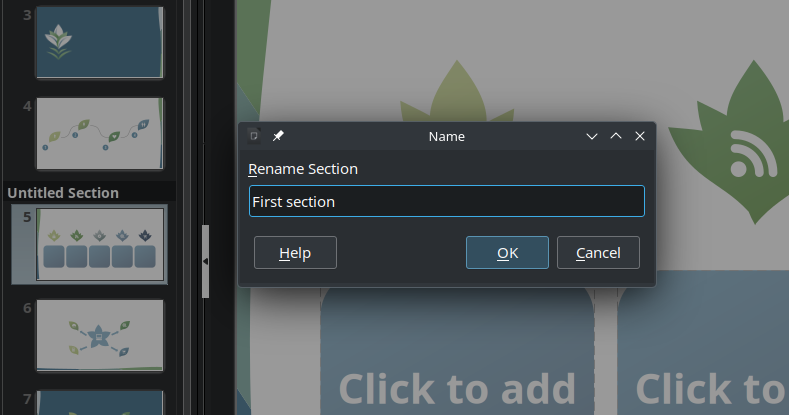
Ctrlswitches to scrolling. - Impress - Slide sections: To help with organizing your presentation, you can now place slides into labeled sections.
- Slide names, if added, also appear next to slide numbers.
What's getting better
- Writer - Document loading: Writer is now faster at loading large documents with lots of images, meaning you can expect better performance in those cases.
- Writer & Calc - Right-to-left typing: Now, when you start typing in an empty cell with a right-t0-left (RTL) script, such as Arabic, the cell is automatically formatted as RTL. Calc in general will now handle RTL typing better.
- This also applies to pasting RTL text in Writer.
- Calc - XLSX compatibility: Calc now handles XLSX files even better than it did before, especially in handling line breaks in referenced cells.
- Keyboard shortcuts: Across LibreOffice, you can now configure keyboard shortcuts for individual documents.
 Jordan Gloor
Zooming out
Why this update matters: While Microsoft Office has become Microsoft 365 Copilot, open source apps like LibreOffice offer an escape from bloated closed-source office productivity suites.
My take: I wish the shuffle command were a UI button and not a command, but I'm happy to see further development on my preferred office suite.
Diving in
The fineprint: There were a ton of smaller updates I didn't cover here. Check out the official release announcement on the Document Foundation blog, or the full LibreOffice 26.8 release notes for more details.
Get it now: You can get version 26.8 by visiting the LibreOffice download page and finding the version compatible with your operating system.