3 great Linux apps for listening to music
With these apps, you can rip, tag, and listen to music directly on your Linux desktop. All free, all open source.


Linux isn't just for programming or playing Steam games. There are a ton of apps for enjoying and managing music that are free, open source, and completely devoid of advertising. These are three of my favorite that are all native to Linux.
Audex: Simple CD ripping
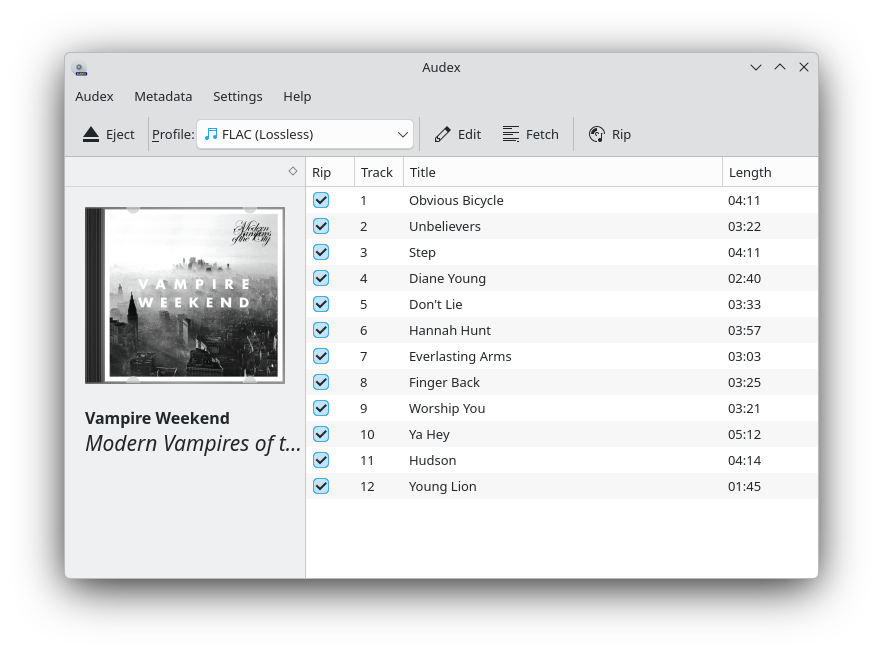
Do you have a CD collection that needs to be backed up to your computer? Audex is an easy-to-use app made just for ripping music from audio CDs. It can rip music as MP3s, lossless FLAC files, OGG, and whatever other codecs you have installed on your Linux system. You can make distinct profiles where you select the format, modify the filename convention, change output types, and more.
Audex can also fetch metadata from CDDB or from MusicBrainz databases, including cover art. You can also insert your own cover art that can be saved directly with the music.
Audex is a KDE app, meaning it'll fit best in KDE Plasma and other Qt-based desktop environments. In fact, Audex just replaced the default CD ripping app on the KDE Linux alpha.
Why I like it
Previously, I'd been using K3B, another KDE app, to rip music. However, that's a multi-tool disc management software, built also for generating playlists, burning discs, and other technical music file management jobs.
This week, after getting a CD haul from my local resale shop, I replaced K3B with Audex. The app is much simpler and focused for the job; I don't need K3B's advanced interface.
How to get it
You can install Audex from Flathub or from Snapcraft, and from some other Linux software repositories. Try searching your software browser for it, or run one of these commands:
sudo dnf install audex #Fedora
sudo pacman -S audex #Arch
sudo zypper install audex #openSUSE
Kew: Modern music listening in your terminal
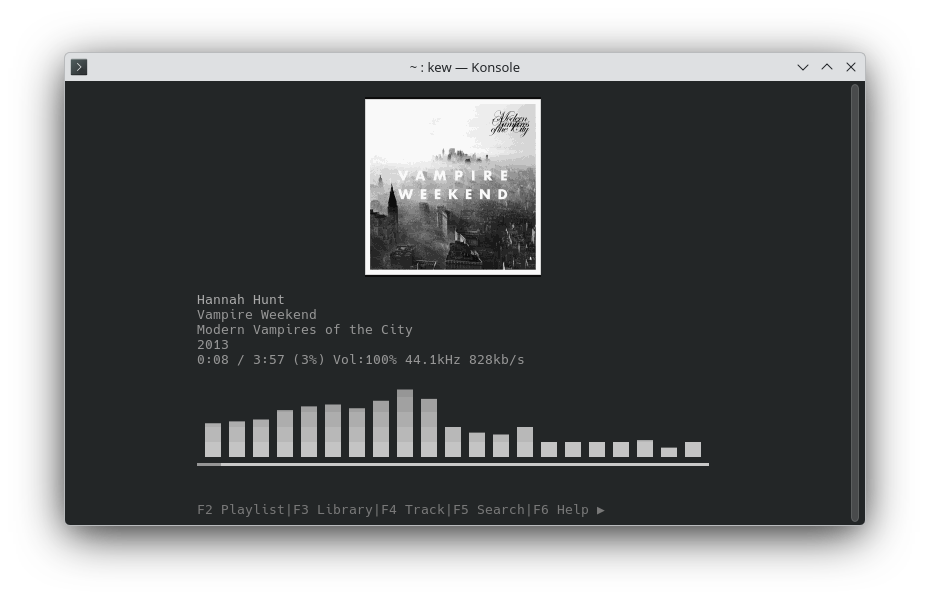
If you have music stored on your Linux computer (whether it's from Audex or another tool), you need something to listen to it. There are plenty of graphical apps that will let you do that, like Strawberry or Elisa. But what if you just want a minimal terminal tool for playing that music? And what if the commands used natural language?
The kew music player is a command line tool that scans your music files and is able to create a browsable library, play your music with album art and a visualizer, and also integrate with your desktop to show notifications and other modern music playback features. Best of all, it's free.
Why I like it
My favorite feature on kew is its natural language commands. While you can simply run the kew command to browse your library and select music to play, you can get there faster by specifying what you're in the mood for.
If I want to listen to Vampire Weekend, I can run the command kew vampire weekend and it'll immediately start playing the first Vampire Weekend. The same works for album and song names. I can also insert shuffle into the command before the search terms to shuffle whatever music kew finds.
How to get it
kew is available in many Linux repositories, meaning you can likely find it in whatever software browser you use. You can also copy and paste one of these commands into your terminal:
sudo apt install kew #Debian and Ubuntu
sudo pacman -S kew #Arch
sudo zypper install kew #openSUSE
MusicBrainz Picard: Powerful metadata management
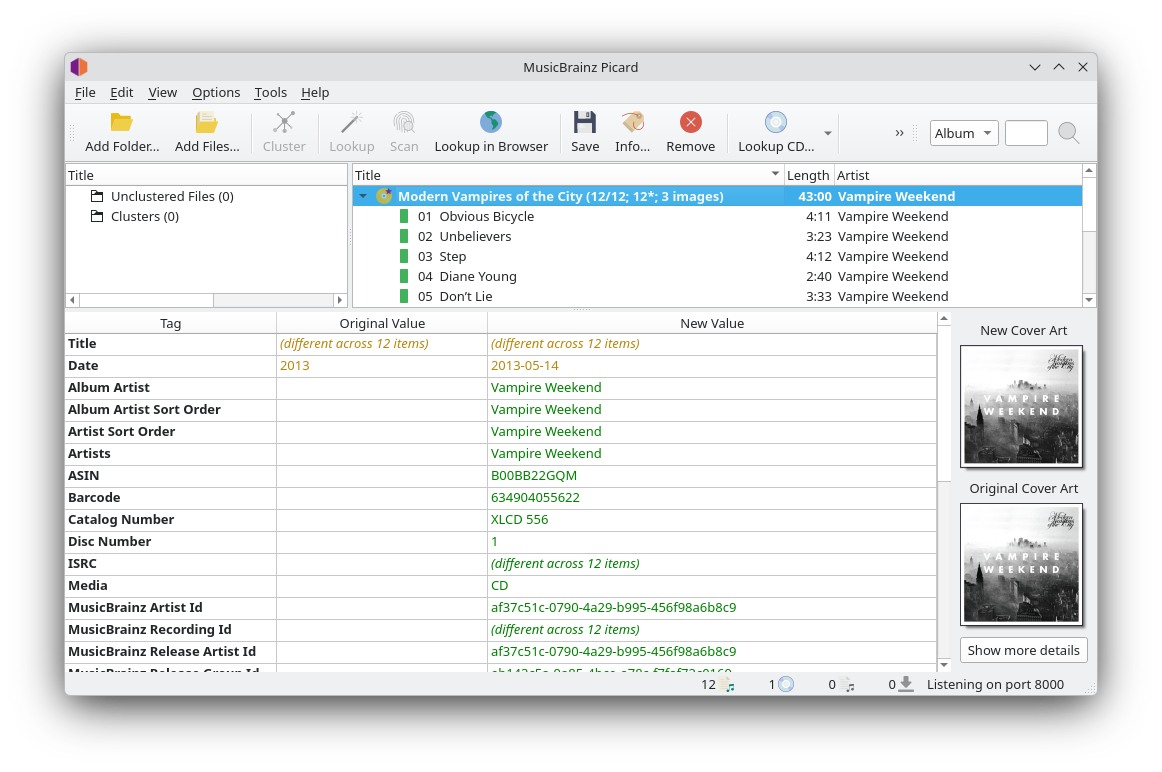
While apps like Audex can often fetch basic metadata, if you want your music library to have rich and detailed metadata with everything from multiple genres to country-specific catalog numbers, MusicBrainz Picard is the app for you.
Free, open source, and named after the iconic Star Trek character, Picard is dedicated to mass-editing metadata of music files. It can fetch everything MusicBrainz' vast database of metadata to get all the tags you might want. Everything it fetches can be edited.
 Jordan Gloor
Picard is a very powerful file management tool, able to process and manipulate several folders of files at once. Its interface can also be overwhelming. For that reason, I highly recommend reading the Picard quick start guide first.
Why I like it
I not only use MusicBrainz metadata to enhance my library collection, but I also contribute to MusicBrainz, and Picard makes that easy. I can sign into Picard with my MusicBrainz account (though that's not required) to save my preferences and add music to my account's collections.
Sometimes I end up acquiring CD releases that don't exist in the MusicBrainz database yet, and Picard also makes it easy to submit that music to the open source database for others to benefit from. I'm able to both benefit from and contribute to the MusicBrainz project with Picard.
How to get it
Picard is available widely across Linux repositories, so you can probably find it in your software browser. You can get it from Flathub or from Snapcraft.
sudo apt install picard #Debian and Ubuntu
sudo dnf install picard #Fedora
sudo pacman -S picard #Arch
sudo zypper install picard #openSUSE
With these three apps you can go from ripping music to upgrading its metadata to enjoying it in one streamlined process. If you're looking for other ways to make your Linux computer more useful, though, be sure to see my archive of Linux app recommendations.