3 legitimately useful Linux tools worth trying
This weekend, I'm exploring a terminal-based system monitor, a multi-tool for hardware specs and benchmarks, and a simple battery health checker.


There's no shortage of Linux apps, especially now as vibe-coded software pops up and disappears by the ton. Knowing which Linux apps are actually worth installing can be a challenge, but these are time-tested and actually useful.
Each of the apps I'm showing you this weekend give you insight into your Linux computer and what's going on with it. If you're having issues, these apps can help you with the diagnosis.
btop++: Lightweight, attractive system monitoring
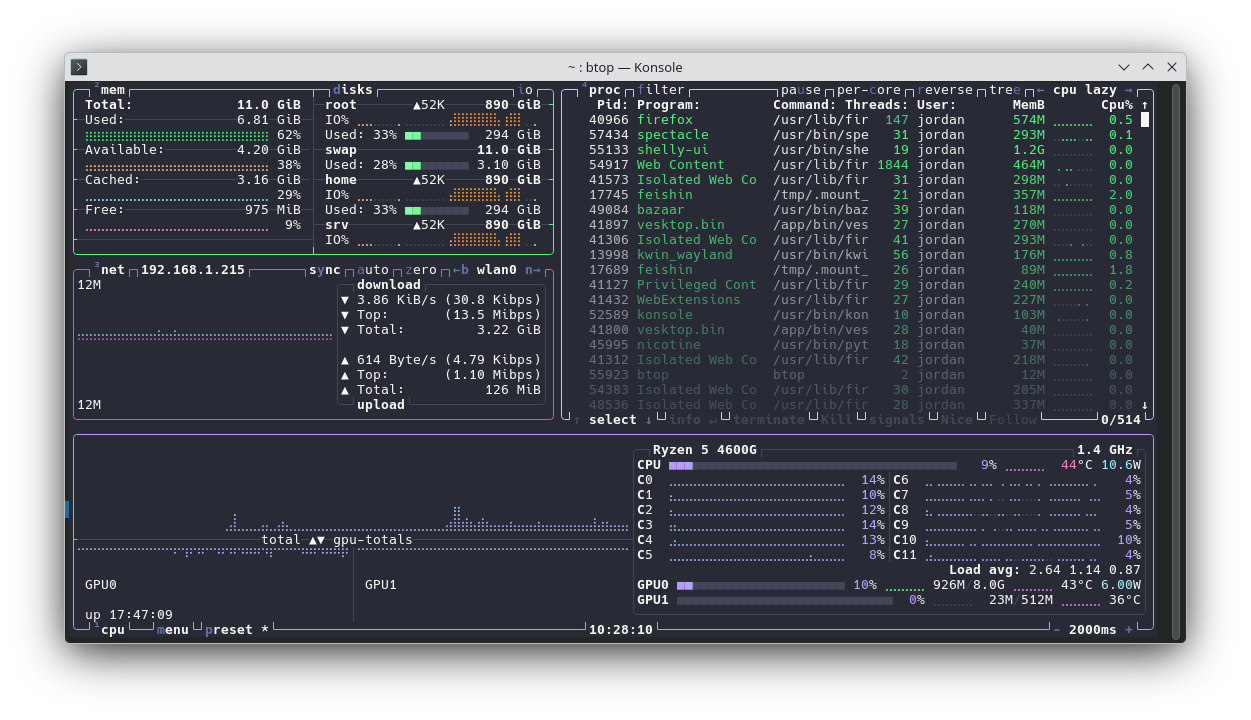
If you've ever watched someone show off their Linux system on a YouTube video, and you saw they had a terminal screen open with a colorful display of all their system resources being used, they were probably running btop++. It's a text-based user interface (TUI) that can show you live disk usage, memory usage, CPU and GPU stats, network activity, and process lists. You can even manage those processes through btop++.
Using btop is super simple. You just type btop into your terminal, and immediately you'll see a live dashboard of stats that btop++ was able to gather automatically. You can hit P to cycle through the dashboard presets, or hit keys 1 through 5 to show or hide specific windows.
Why I like it
I run btop++ when I want a lightweight and flexible view of what's going on with my Linux system. I just pop open a terminal, type the btop command, and watch the output while I perform other work. This is often when I'm having a slowdown issue and I want to know what's causing it.
Another use is installing btop++ on a "headless" server so I can watch how it handles operations in real time. That's especially useful on low-resource servers. Plus, it just looks cool, especially with the Dracula theme.
How to get it
The btop++ is very popular, so you can find it in most software stores. It's even on Snapcraft. If you want to install it from the command line, you can use one of these command examples:
sudo apt install btop #Debian and Ubuntu
sudo dnf install btop #Fedora
sudo pacman -S btop #Arch
sudo zypper install btop #openSUSE
Hardinfo2: Hardware information, plain and simple
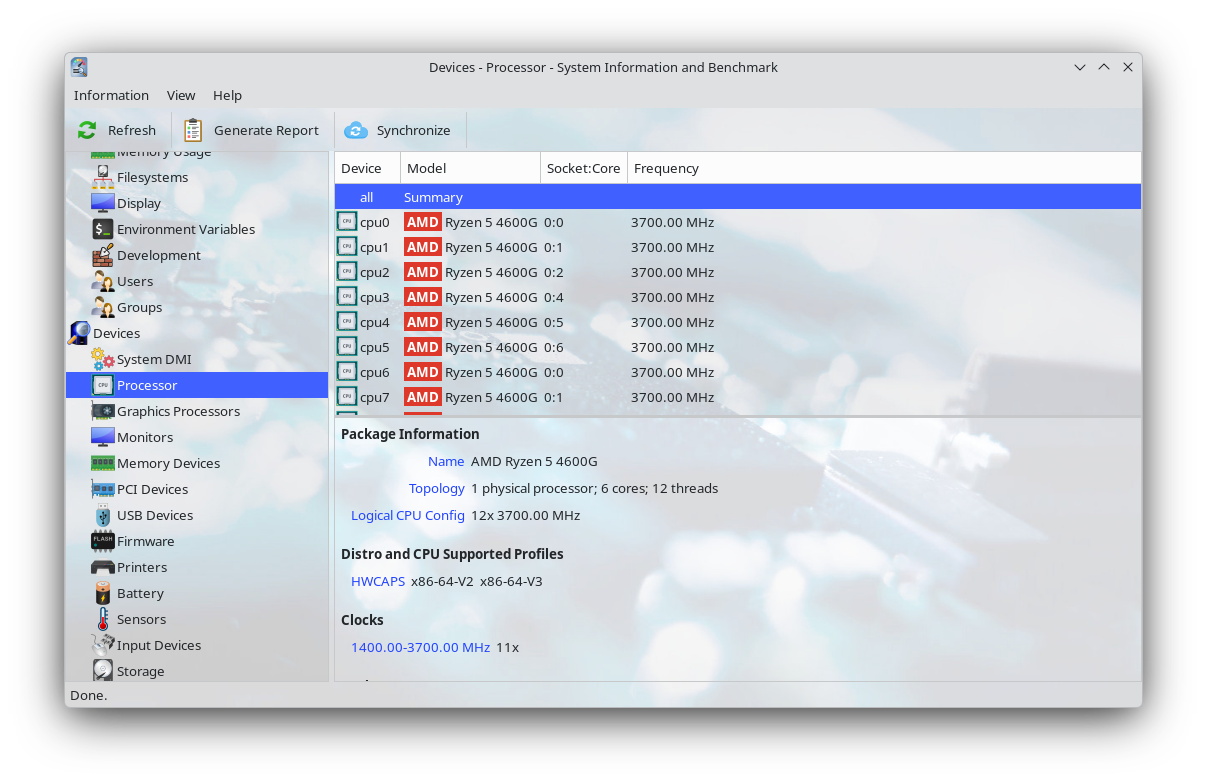
Sometimes while managing your Linux PC, it's useful to know what you have installed physically. Taking your PC a part to examine the components though is a hassle. Instead, you can just install Hardinfo2.
A reboot of the abandoned Hardinfo app, Hardinfo2 is a free and open source multi-tool for hardware information and benchmarking. If you need to know anything about your computer's specs, Hardinfo2 will probably display it for you in one of its many reports. Everything from the serial numbers on your RAM sticks to the clock speed of your processor to the manufacture date of your monitor is listed.
 Jordan Gloor
It also has software and firmware information for reference, including active display servers, installed security modules, and current environment variables. Hardinfo2 also boasts a library of benchmarking tools you can run to find out just how powerful your hardware is and compare it to known statistics on other systems.
Why I like it
I like having one central place to find all the info I need about my system. It's especially helpful when shopping for PCs and PC parts and I want to know how a given piece of hardware will compare.
How to get it
Hardinfo2 is available in many Linux software repositories, so you can probably find it in your software browser. It's also available via one of these commands.
sudo apt install hardinfo2 #Debian and Ubuntu 26.04 LTS
sudo dnf install hardinfo2 #Fedora
sudo pacman -S hardinfo2 #Arch
sudo zypper install hardinfo2 #openSUSE
Wattage: Simple and useful battery info
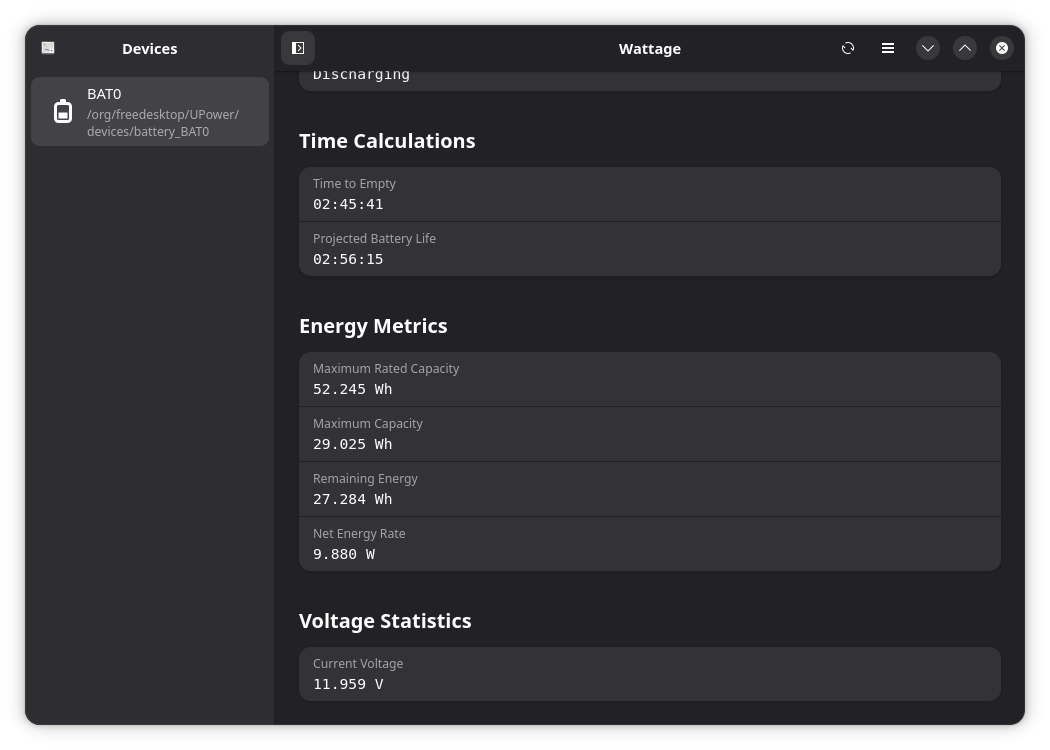
Do you have a laptop with a battery that doesn't last as long as it used to? Or do you have a new laptop, and you know how important it is to monitor the battery for health drops?
Try Wattage. It's a Linux-exclusive app that tells you everything you need to know about your battery. While Hardinfo2 can show you the same information, Wattage is much more focused and user-friendly. It's developed with GTK 4 using Adwaita, meaning it looks great on modern GNOME desktops.
Why I like it
Well, I'll just be frank: Wattage revealed to me that I needed to replace my laptop's battery, as you might have inferred from the screenshot. It was as simple as opening the app and checking the report.
How to get it
Wattage is available as a Flatpak from Flathub, so you can find it in your software browser so long as it has Flathub integration. Otherwise, you can get an AppImage version from the Wattage GitHub release page.
Those are all the recommendations I have this week. If you didn't find anything useful, you can refer to my library of Linux app recommendations for more.