How the new 10-inch Raspberry Pi touch display compares to other models
This is how each device in the Raspberry Pi Touch Display lineup compares the others, including the newest 10-inch model.

The Raspberry Pi team released today a new addition to its Raspberry Pi Touch Display 2 lineup. It's the biggest touch-enabled display yet at 10 inches. For those considering buying one, or any other Raspberry Pi touch display, I put together a simple comparison.
What to know about the new touch display
The 10-inch version of the Raspberry Pi Touch Display 2 was announced on July 22, 2026, with a price point of $80.
Like the other devices in the Touch Display 2 array, it's a portrait-oriented display with a multi-touch capacitive LCD panel. Unlike the other two in the lineup, though, the 10-inch model is not widely compatible with Raspberry Pi computers.
Comparing Raspberry Pi touch displays
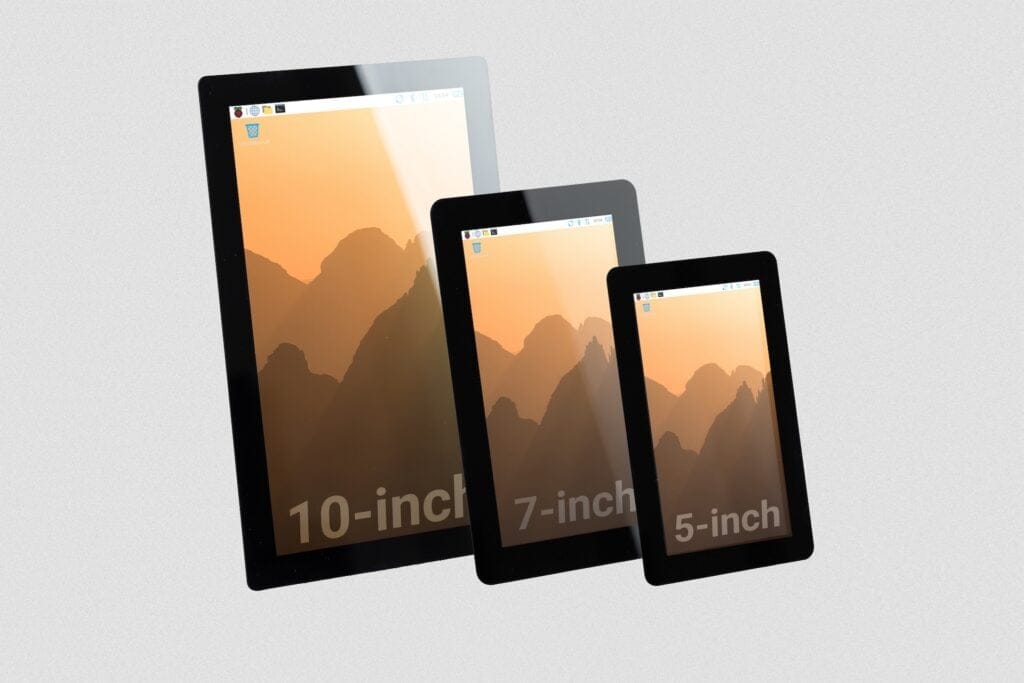
Below is a table with all the most important details of every Raspberry Pi touch display in existence, ordered by release year.
| Model | Display Size | Active Area | Resolution | Release Year | Compatibility | List Price |
|---|---|---|---|---|---|---|
| Touch Display 2 10" | 10 inches | 135.4 mm × 216.6 mm | 1200 × 1920 | 2026 | Only Raspberry 5 and Raspberry Pi Compute Modules | $80 |
| Touch Display 2 5" | 5 inches | 62.1 mm × 110.4 mm | 720 × 1280 | 2025 | All except the Raspberry Pi Zero series | $40 |
| Touch Display 2 7" | 7 inches | 86.94 mm × 154.56 mm | 720 × 1280 | 2024 | All except the Raspberry Pi Zero series | $60 |
| Touch Display (Original) | 7 inches | 154.08mm × 85.92mm | 800 × 480 | 2015 | All except Raspberry Pi 400 and the Raspberry Pi Zero series | $60 |
All feature an anti-glare coating, 24-bit RGB color support, and are promised by Raspberry Pi to be manufactured until at least January 2030 (Yes, that includes the original). They all connect via a DSI ribbon cable and are powered via GPIO pin connectivity.
One key difference between the original Touch Display and all the Touch Display 2 devices is that the original has a landscape orientation while the others are all oriented vertically or "portrait." While I haven't tested it myself, I have read reviewers complaining that attempts to use the Touch Display 2 series in landscape mode aren't easy.
- Don't forget that Raspberry Pi also sells an official monitor, for those wanting a classic desktop experience rather than a tablet-like touch interface. It uses an HDMI connection and has extras like built-in audio and a headphone jack.
Zooming out
Why this display matters: Raspberry Pi's official products give you more of a guarantee they'll work with (listed compatible) Raspberry Pi computers. A bigger display like this affords a wider viewing angle and more possibilities in general for neat Pi projects.
My take: It's disappointing only the latest RPi devices get support with this display. Given this is also the most expensive touch display yet, I don't think my wallet will forgive me if I spring for this one.
Diving in
Go further: You can learn more by reading the official Raspberry Pi Touch 2 10-inch announcement.
Get it now: If you want to get the new 10-inch model, Raspberry Pi lists Approved Resellers on the Raspberry Pi store. At the moment, US-based retailers include CanaKit and PiShop. Raspberry Pi's list price is $80, though those resellers are asking a bit more.