Refresh your Linux PC by trying one of these Linux apps
This week I'm trying a Flatpak browser, a screen recorder, and a VM manager. Subscribe for free and open source app recommendations in your inbox every week.

There's always new apps arriving on the open source Linux software scene, and some ancient apps are still worth using. Here are the free Linux apps I've been playing with recently.
Bazaar: Flathub but better
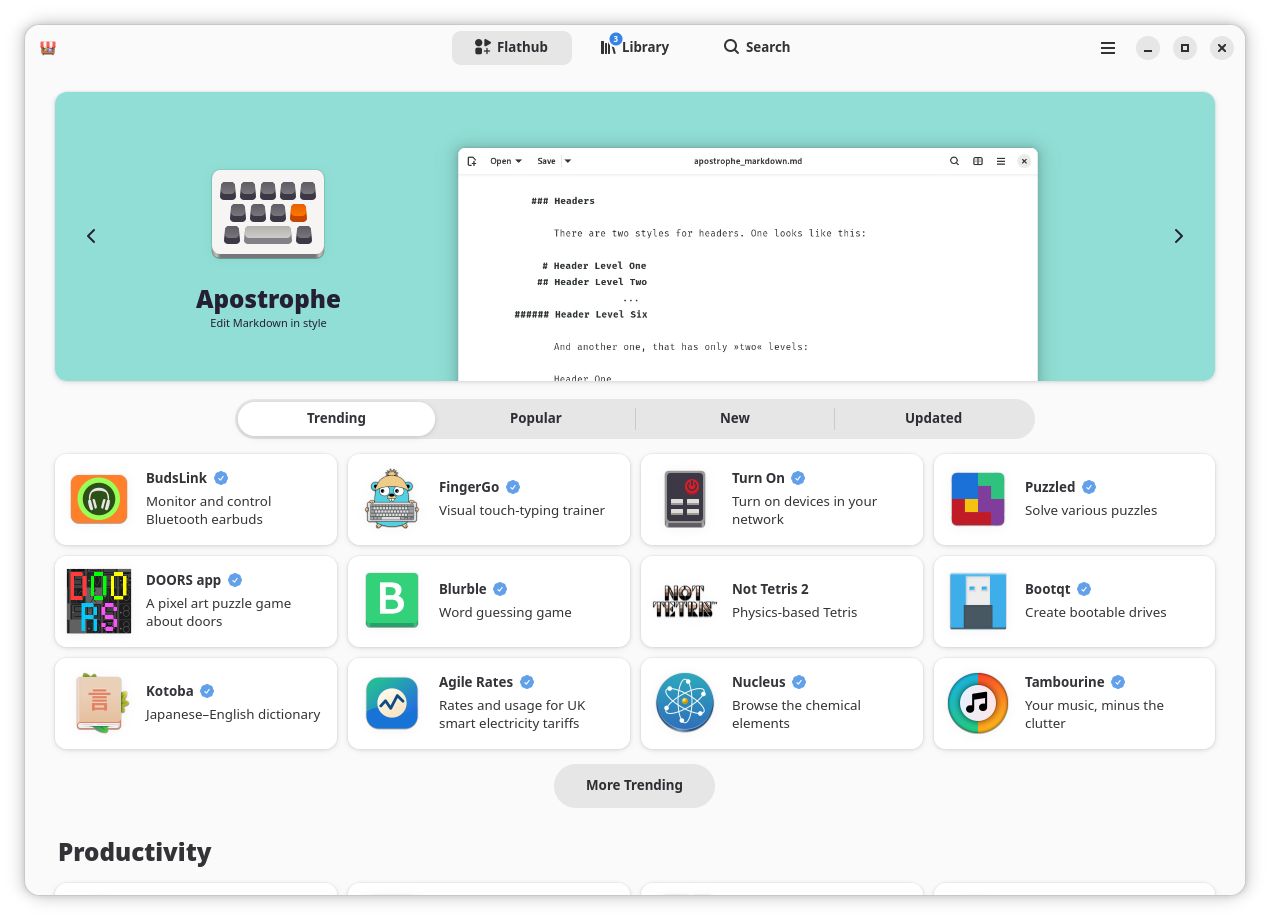
Flatpaks are one of the best methods of installing software on Linux distributions, thanks in part to their simplicity. So long as you have flatpak installed on your system, you can install any software that someone's packaged as a Flatpak.
The Bazaar app, developed by the people behind Bazzite Linux, allows you to browse Flathub, which is the largest source of Flatpaks.
Why I like it
Bazaar has a much nicer and more modern interface than most other software browsers, and it fits especially well in GNOME. It also has features you won't find on others, such as safety ratings, download counts, and links to other apps by the same developer.
How to get it
Bazaar is on Flathub, so you can install it there or through your regular software browser, assuming it integrates Flathub. It can also be installed through the command line with this command:
flatpak install flathub io.github.kolunmi.BazaarGPU Screen Recorder: Powerful screen recording
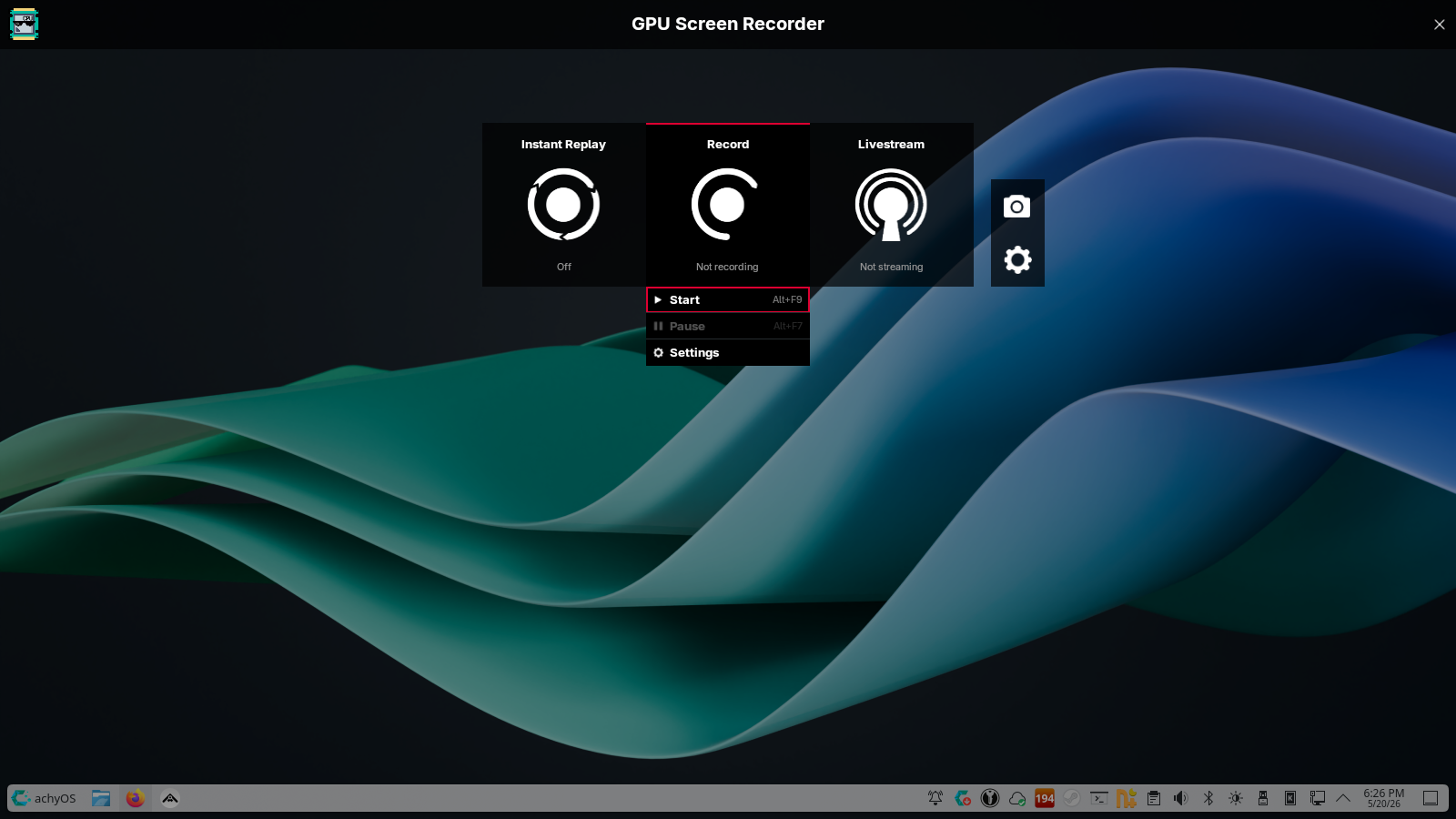
Screen recording is fairly easy on Linux, especially if you're using Spectacle. However, if you have a lot of requirements for screen recordings and want to be able to livestream too, you should look into GPU Screen Recorder.
It takes advantage of your graphics card to create high quality screen recordings, much like Nvidia's Shadowplay. There's an instant replay feature where the last three minutes of your gameplay can be retroactively captured on command.
Why I like it
GPU Screen Recorder can be operated by the command line, but its graphical interface is great, especially the new one (pictured above). It looks sleek and feels a lot like using graphics card manufacturers' tools.
Currently, the app warns that under Wayland the new interface may not work, but I had no trouble with it on KDE Plasma 6.6 on CachyOS.
How to get it
GPU Screen Recorder is on Flathub, so as long as your software browser is Flathub-enabled, you can install it by searching for it. On Arch Linux, you can install it with sudo pacman -S gpu-screen-recorder and everyone else can find additional installation instructions in the documentation.
QuickEMU: Fast VM setup from the terminal
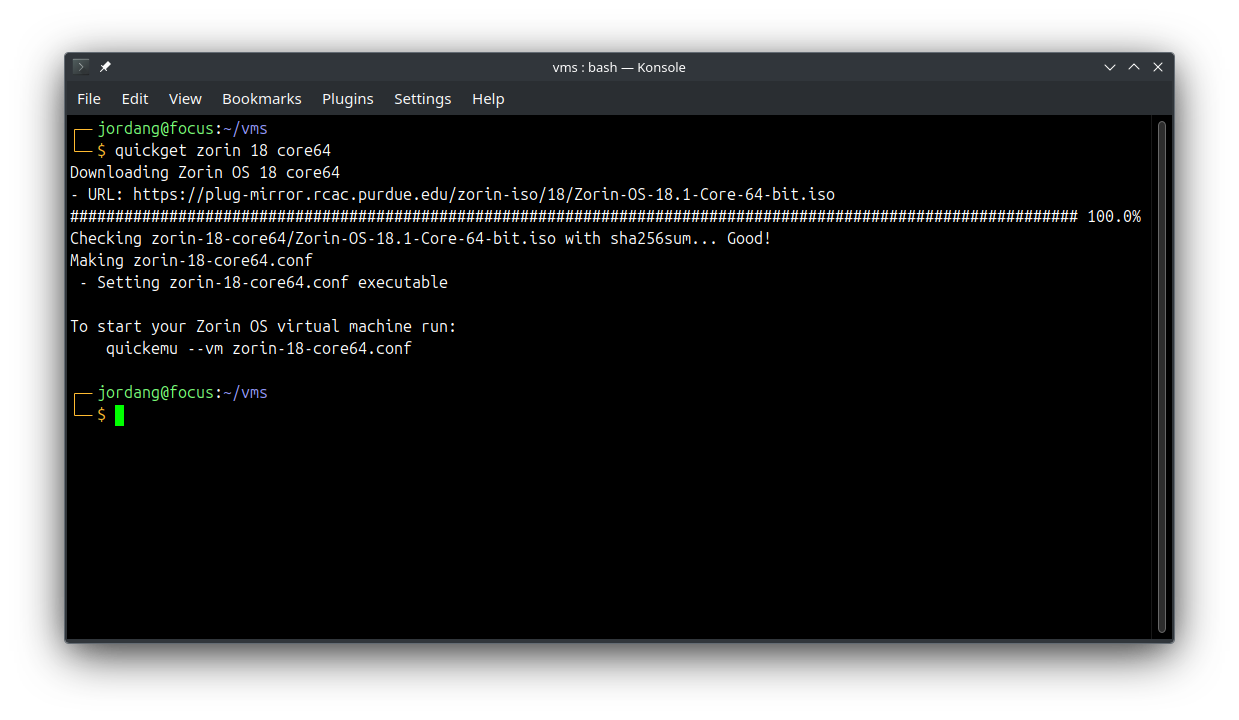
If you'd like having easy access to virtual machines but you don't like manually configuring them or tracking down image files to generate them from, then you should look into the Quickemu.
Quickemu is a QEMU wrapper, meaning it handles the manual configuraiton of QEMU and can do QEMU jobs for you with minimal, user-friendly commands. Want a Windows 11 virtual machine? Just type quickget windows 11 and wait for Quickemu to download the ISO, configure it for your system, and give you a command to launch Windows 11 in QEMU.
Why I like it
QuickEMU is a much faster and easier experience than the VM experience I'm used to on VirtualBox. Sometimes it's more reliable, too, like earlier this week when I was trying to test out the Plasma 6.7 beta.
I also like the variety of supported distros. From popular ones like Ubuntu and Arch Linux to more niche distros like Haiku and Devuan, a Linux distro or other operating system you want to run inside your desktop is probably available with a short Quickemu command.
How to get it
Arch users can get Quickemu through the AUR with yay -Sy quickemu, and Ubuntu users can add the PPA with sudo apt-add-repository ppa:flexiondotorg/quickemu. You can also go to the GitHub release page for a DEB package or source files.
I recommend Linux software every week. Check the archive if you didn't find anything interesting this week!